
2:14 am
Movement at the warehouse gate
An intrusion alert reaches the owner’s phone with a snapshot. The guard is called while it is still happening, not found on the recording the next morning.
Know what is happening while it happens — not the next morning — using the cameras you already have.
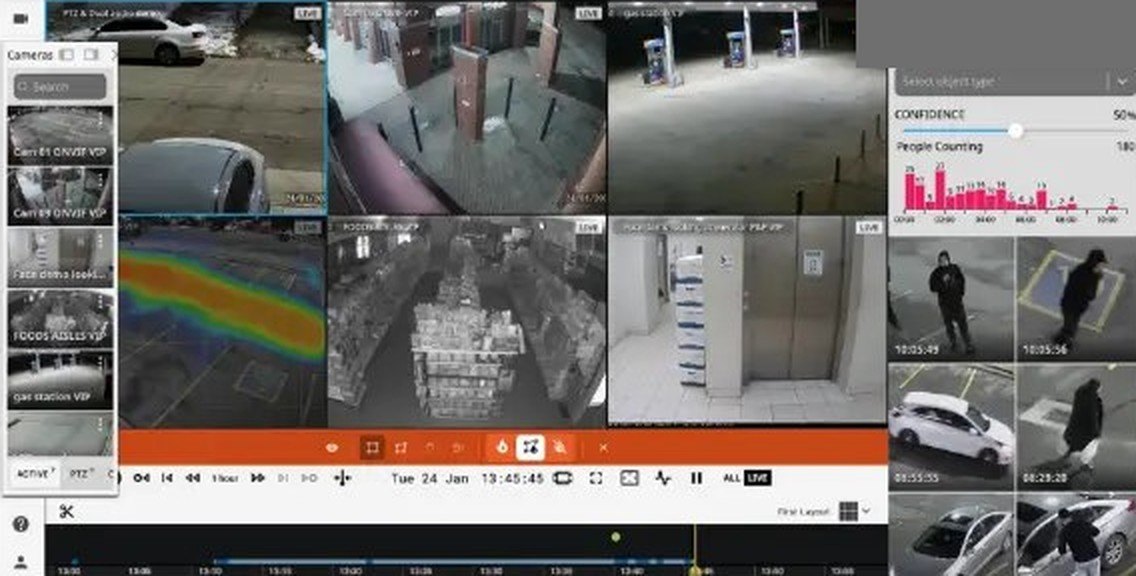
Same cameras. Very different outcome on a bad day.
| When this happens | Recorder only | With cloud backup and alerts |
|---|---|---|
| The recorder is stolen or burnt | The footage goes with it | Recordings are already safe in the cloud |
| Someone enters at 2 am | Found on the recording next morning | Alert on your phone within moments |
| You have several branches | One login per recorder, per site | Every site in one app |
| A camera stops working | Noticed only when footage is needed | Camera-offline alert |
| Checking footage from outside | Remote access set up site by site | Phone or browser, wherever you are |
Choose them camera by camera, and set the hours they work — for example, only after closing time.
Real screens from the platform we set up for you.
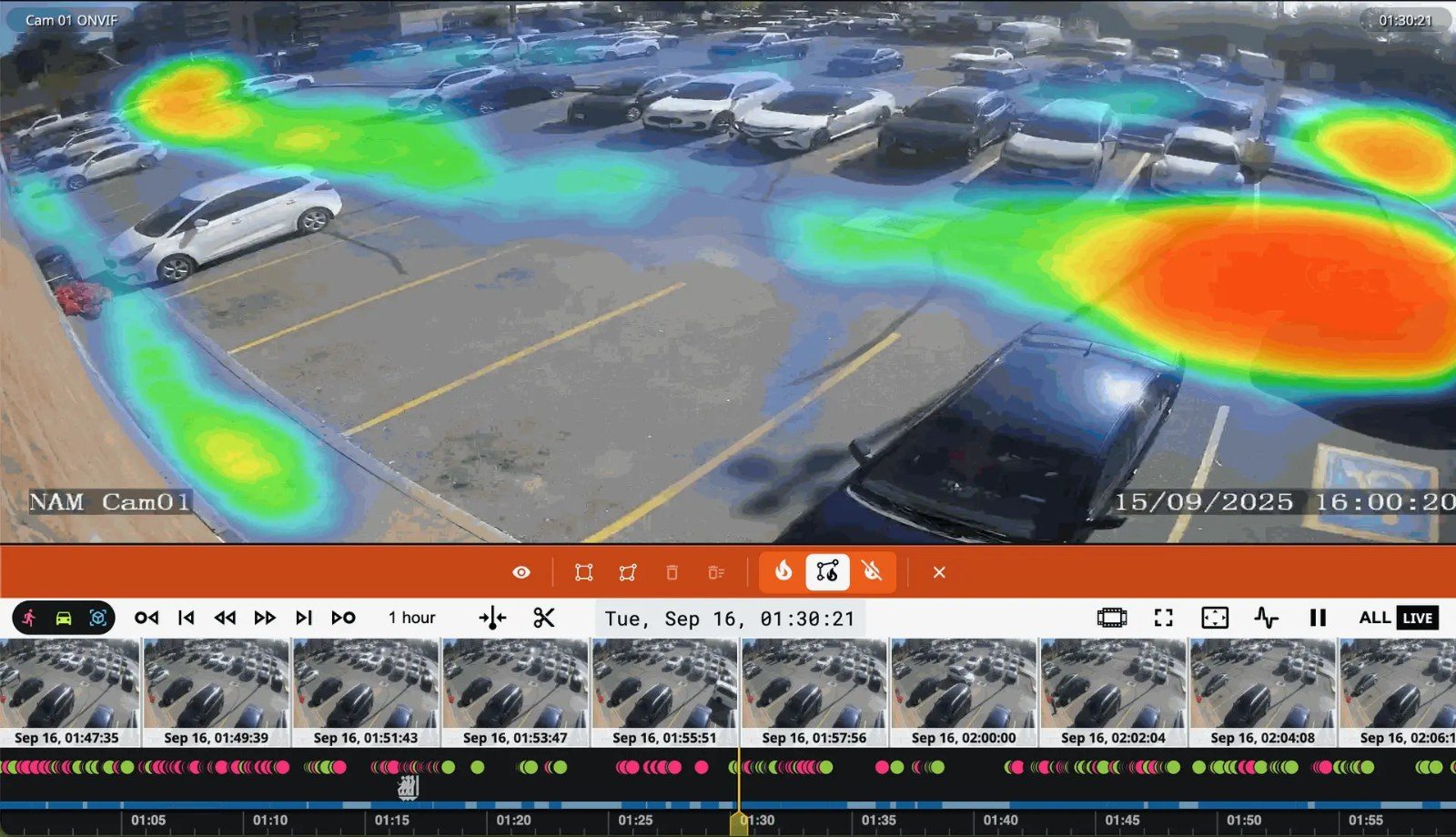
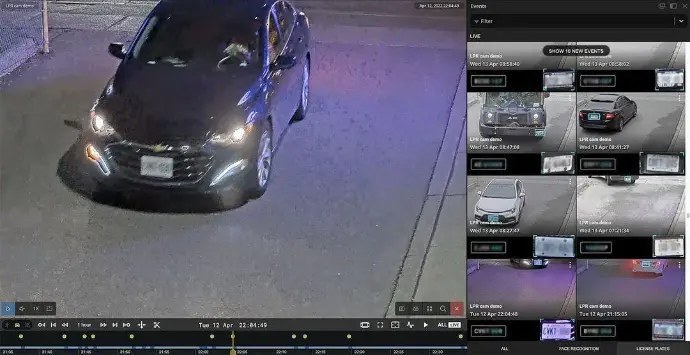
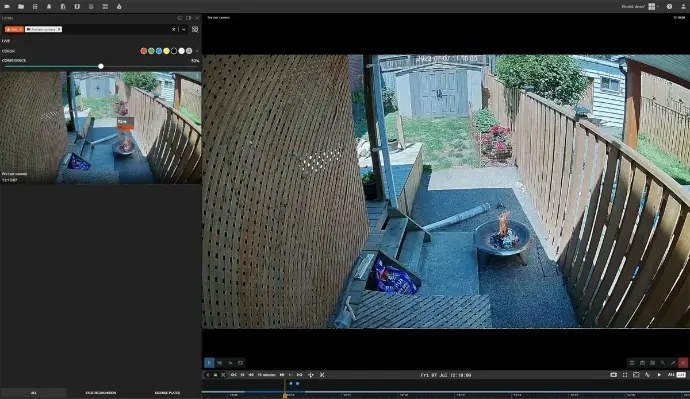
No server on site. Most standard IP cameras and recorders connect directly; older equipment or larger sites use one small device.
We check your cameras and internet first, connect the ones you choose, then set up the app and alerts for your team. Want someone to watch the alerts for you? Add remote monitoring, powered by VisionX.
An intrusion alert reaches the owner’s phone with a snapshot. The guard is called while it is still happening, not found on the recording the next morning.
After a break-in, the recorder is missing from the shop. The weekend’s footage is still in the cloud and can be shared straight away.
The operations head checks every branch from one app, and knows when a camera goes offline instead of finding out months later.
The stories above are examples of how alerts and backup are used.
Businesses with several branches, warehouses, retail chains, offices and housing societies — anywhere footage matters and nobody is watching the recorder.
Combine it with a standard design for every branch and one AMC. See multi-site security.
We plan cloud backup and alerts as part of the CCTV installation, so it all works from day one.
Had a very good experience with Securizen for my clinic setup. I installed CCTV cameras and a magnetic lock system through them, and I am very satisfied with both the products and the service provided. A special thanks to Mr. Sandeep for his professionalis…
Best product as well as prompt service. Very Much Professional.
Highly Professional Service. Great Installation and on Time- Delivery. The Entire team under Supervision of Mr. Sandeep Patil has carried out a commendable work. I would recommend everyone to opt for his service. To sum up -Value for Money, Professional Ser…
Reviews from Google. Shown as written by reviewers.
Usually not. Most standard IP cameras and recorders connect directly, and older equipment can usually connect through one small device. We confirm what your site needs during the site check, before you commit.
In secure cloud storage, separate from your site, so footage survives theft or damage of the recorder. Video is encrypted on its way from the camera to the cloud, and access is limited to the people you authorise.
Storage is set to your needs — how many cameras, and how many days you want to keep — and written into your proposal.
Video goes to the cloud over your internet connection, so we check it during the site check and plan the setup around it — which cameras go to the cloud and at what quality.
It depends on the number of cameras, the alerts you need and how long recordings are kept. We quote after a site check.
No. It is an extra early warning from your cameras, useful in large open areas such as warehouses. Your fire alarm system remains the protection your building relies on.
Yes. Add remote monitoring, powered by VisionX — a person reviews each alert and your nominated contacts are informed.
Tell us about your sites and cameras. We will show you the app and alerts, and check what your current system can connect.
Prefer to talk? +91 96991 12211